

Request Trial Access: Test DataMotion in Your Workflows
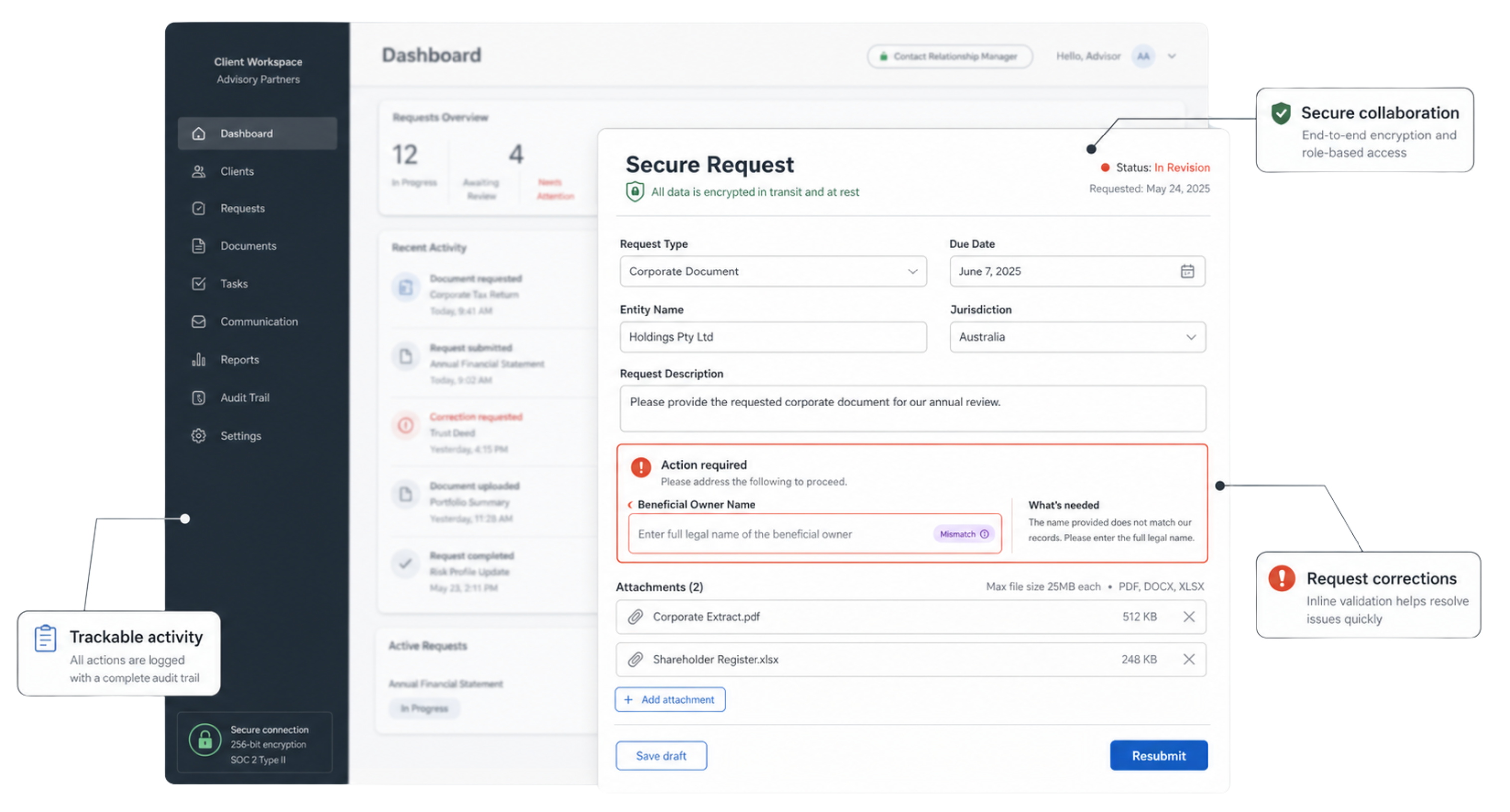
Request Access to the Free TrialCreate a form with DataMotion Secure Forms from a prompt, an existing PDF, or a prebuilt workflow. Then collect sensitive information, review responses, request corrections, and continue the conversation securely. After you request access, a DataMotion team member will confirm what you’d like to explore and initiate your trial setup.

Secure Forms + Secure Messaging Free Trial
Request Free Trial Access
"*" indicates required fields
Certified and Trusted in Regulated Healthcare and Financial Environments




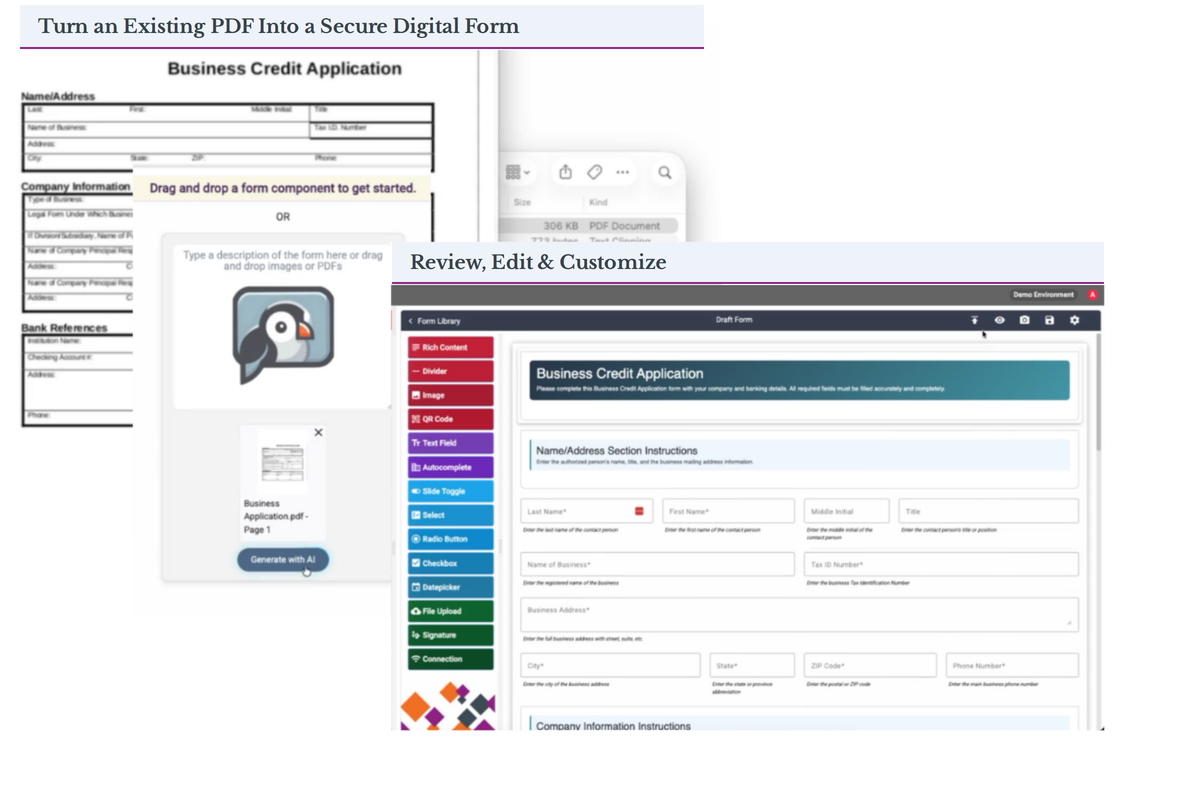
Go from Idea or Existing Document to Secure Forms in Seconds
Build secure, compliant forms without starting from scratch or waiting on developer resources. Use JenAI Create to generate a form from a plain-language prompt or an existing PDF or scanned form, reduce dependence on developer resources, and capture clean, structured data that supports downstream automation.
What You Can Do in the Trial
Create a secure form, collect what you need, and keep the exchange moving — all in one workflow.
Create the Form You Need
Describe it in plain language, upload an existing PDF or scanned form, or start with a prebuilt template.

Collect Information Securely
Gather structured data, sensitive information, and supporting documents through a secure online experience.

Keep the Workflow Moving
Review submissions, request missing or corrected information, and continue the exchange through Secure Messaging.

Close the Loop Securely
See the full exchange end to end — submission, review, correction, and secure follow-up — in one governed thread.
A Form Submission Is Only the Beginning
Most form tools stop at submission. DataMotion continues the process — review the submission, request missing or corrected information without starting over, and continue the conversation through Secure Messaging, all in one governed thread.

Start With a Real Business Process or Build Your Own
Start with a guided business process or build a secure form around a process of your own.

Health Insurance Workflows
Plan coverage questions, cost questions, and how to use benefits — start from a ready-made business process.

Build Your Own
Use JenAI Create to build a secure form around your own business need.


Wealth Management Workflows
Beneficiary and ownership changes, account updates, and life-event and planning documents — start from different ready-made business processes.

Bring Your Own PDF
Upload an existing PDF or scanned form and turn it into a secure online form.

Explore a Real Business Process
Explore a real business process hands-on, not a generic feature preview.

See Secure Forms and Messaging Together
See Secure Forms and Secure Messaging working together in one workflow.

Reduce Manual Follow-Up
Reduce dependence on email attachments, PDFs, and manual follow-up.

Evaluate Fit Without a Full Sandbox
Evaluate fit without starting with a full technical sandbox.
Bring Technical Teams In Later
Bring technical teams in later to evaluate integrations with existing systems when deeper validation makes sense.

Set Accurate Expectations Early
Understand what a secure workflow actually looks like before you commit to a POC or implementation.
Secure Forms + Secure Messaging Free Trial
Request Access and Tell Us What You’d Like to Explore
"*" indicates required fields